Onboarding
Get a brand ready for Flipkart, from catalogue to price sheet
Flipkart approves the account. We prepare what goes into it: a master catalogue, images, listing text and a price sheet built on Flipkart's own fee page at the time of your project.
- Ten years selling on Amazon India, from our own accounts
- Your account and your card. Nothing is routed through us
- A fixed quote in writing within one working day
- 3 free seller tools in your browser and a free extension, no sign-up
- GST-registered business, Kalkaji, New Delhi
What we prepare
What we prepare for Flipkart
A master catalogue Flipkart listings are cut from
One sheet holds the name, attributes, images and barcode of every product. A Flipkart listing and an Amazon listing for the same product are cut from the same row, so they never describe it two ways.
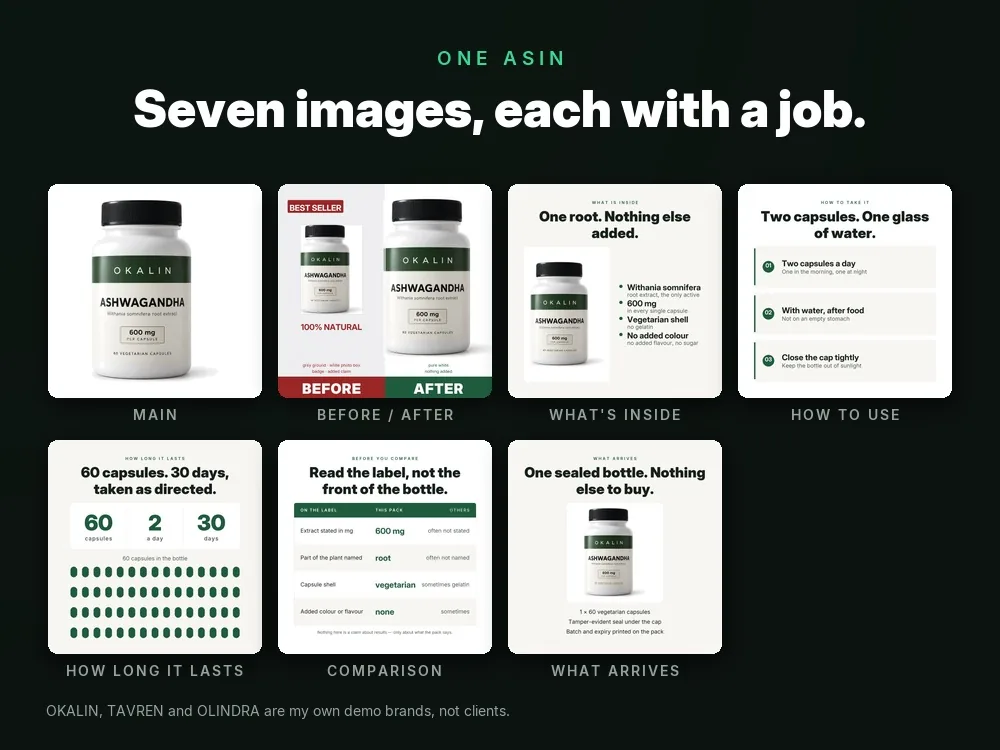
Product images in the shape each category needs
We read the image rules shown inside your account for the category you choose, then shoot-brief or edit your photographs to them.
Listing titles and attributes
Titles and attribute values written from how the category is searched, with every claim checked against the pack in your hand.
A price sheet built on the fee page
Flipkart lists a Fees and Commission section on its seller site, and its rate card sits inside the seller account. We build the price sheet at the time of your project from the figures your account shows, using our margin sheet, so the price is set with the margin in view.
A notes page for the person who runs it after us
What was listed, with which source row, and which questions Flipkart raised, so a new team member can pick it up.
You provide
- Your business registration and tax details, ready to type into Flipkart's own form.
- Product photographs, pack details and any brand papers you hold.
- A decision on which products go first, and on the lowest price you will accept.
Flipkart decides
- Whether the seller account is approved and which categories it can sell in.
- Whether a brand needs extra proof before its products can be listed.
- What happens to a listing that breaks its rules.
Who can sell
Who can sell on Flipkart
Approval is by Flipkart. Flipkart lists the documents it needs in its own sign-up form; we go through it with you when you apply.
Flipkart's seller entry page is seller.flipkart.com, titled "Sell Online on Flipkart".
Source: seller.flipkart.com, read 6 Oct 2026
The page shows a way to sign up and a Fees and Commission section.
Source: seller.flipkart.com, read 8 Oct 2026
Documents
Documents Flipkart asks for
We print no document list and no count for Flipkart. We go through its sign-up form with you when you apply, so the papers are ready.
How it works
Who does what for a Flipkart start
You
Choose the first products
Pick a small first range that you can keep in stock, so the account is judged on listings that are ready.
Us
Write the master catalogue
One row per product, with the identifiers and images attached, before the Flipkart form is opened.
You
Register at seller.flipkart.com
You enter your own details in Flipkart's form. We sit beside you and compare each field with your papers.
Flipkart decides
Account approval
Flipkart reviews the registration and decides. We do not predict the decision or how long it takes.
Us
Build the first listings
Once the account is open, we fill the listings from the catalogue rows and read each one back against the pack.
Fees
Fees on Flipkart
Flipkart has a Fees and Commission section on its seller site. Its rate card sits inside the seller account. We print no figure, because fees change; the price sheet is built from the figures your account shows at the time of your project.
Flipkart lists its fees page in its own sitemap.
The address: seller.flipkart.com/fees-and-commission
Source: seller.flipkart.com/sitemap.xml, read 6 Oct 2026
Why choose us
What stays the same on every job
A second marketplace without a second spreadsheet
Because everything is cut from one master catalogue, adding Flipkart to an Amazon business does not start a new set of files.
Sourced, or not printed
Flipkart lists its documents in its own form, so this page prints none. What is printed here carries its source and the date it was read.
Margin first
The price sheet is built on Flipkart's own fee page at the time of your project and shows the per-order figure before you list, not after the first payout.
Adding Flipkart to what you already sell?
Send us your product list and the marketplace you sell on today. We reply with a written plan and a fixed quote.
In depth
Preparing a brand for a Flipkart seller account
What Flipkart shows publicly
Flipkart's seller entry page is seller.flipkart.com. The public page shows a way to register and a Fees and Commission section. Approval is by Flipkart, and the document list is in Flipkart's own form.
This page is about preparation for that reason. You can do real work before the form opens: decide the first products, settle the names, gather the photographs and work out the price. When the form appears, the answers are already on your desk.
The catalogue is the asset, not the account
A Flipkart account can be approved, paused or limited by the platform. A well-kept catalogue stays with you whatever happens to any one account. We build it as one sheet with a row per product: the name you use everywhere, the attributes, the identifiers, the image files and the claims the pack supports. Each marketplace listing is derived from that row.
The practical gain shows up later. When you change a pack size or drop a claim, you change one row and carry it to every marketplace. Our catalogue management page describes that upkeep, and marketplace activation covers how to choose the order in which you add platforms.
Price with the fee page open
A price is only a decision once you know what is left after the platform's charges. Flipkart lists a Fees and Commission section on its seller site, and the rate card itself sits inside the seller account. We print no figure, because fees change; in the work itself, we take the figures your account shows and put them into the margin sheet, one product at a time.
After approval the work changes shape. Listings need upkeep, returns need reading for their reasons, and stock needs to match what is listed. Those are the jobs in pricing management, return management and inventory management. We do not promise sales on Flipkart; we promise the catalogue, the sheet and the written follow-up.
Questions
Common questions
Which documents does Flipkart ask for?
They are listed in Flipkart's own registration form. We print no list; we help you compare each field with the papers you hold.
Can you promise my Flipkart account will be approved?
No. Approval is by Flipkart. We prepare the catalogue and check your answers, but the decision and its timing belong to the platform.
Do I need a different catalogue for Flipkart and Amazon?
You need one master catalogue. Each marketplace listing is derived from it, so the two stay consistent when a pack or a claim changes.
Where are Flipkart's fees?
Flipkart lists a Fees and Commission section on its seller site; the rate card itself is inside the seller account. We print no figure.
Related
Other platform onboarding pages
- Amazon onboardingSeller account and first listings
- Meesho onboardingSupplier account and catalogue
- Myntra onboardingFashion and lifestyle sellers
- AJIO onboardingFashion marketplace account
- Nykaa onboardingBeauty and wellness brands
- JioMart onboardingSeller account and catalogue
- GeM onboardingGovernment e-Marketplace seller
- Blinkit onboardingQuick-commerce listing prep
- Zepto onboardingQuick-commerce listing prep
- Swiggy Instamart onboardingQuick-commerce listing prep
- BigBasket onboardingGrocery and daily-needs brands
- Quick-commerce managementRunning several apps together
Ready for a fixed quote?
Send three sentences: what you sell, what is not working, what you want by when. The quote comes in writing within one working day, and it names the deliverable, the price and the date.