Zaiv Digital
Menu

Tools

Try the work before you hire it.

Small, exact tools built for one job, delivered as a single file you own.

Three of them are below, free, running in your browser. Use one. If it does what it says, a fixed quote for having one built for your business is further down the page.

What every tool here has in common.

Runs
In the browser, from one file. Works offline once opened, except the A+ Content Builder's optional ASIN lookup.
Keeps
Nothing you upload. One tool sends an ASIN if you use its lookup — every exception like that is named on its own page.
Needs
No account, no login, no subscription.

Use them now

Three tools. Open any one; nothing to install.

  • Sellers on amazon.in about to build or rebuild A+ Content

    Amazon A+ Content Builder

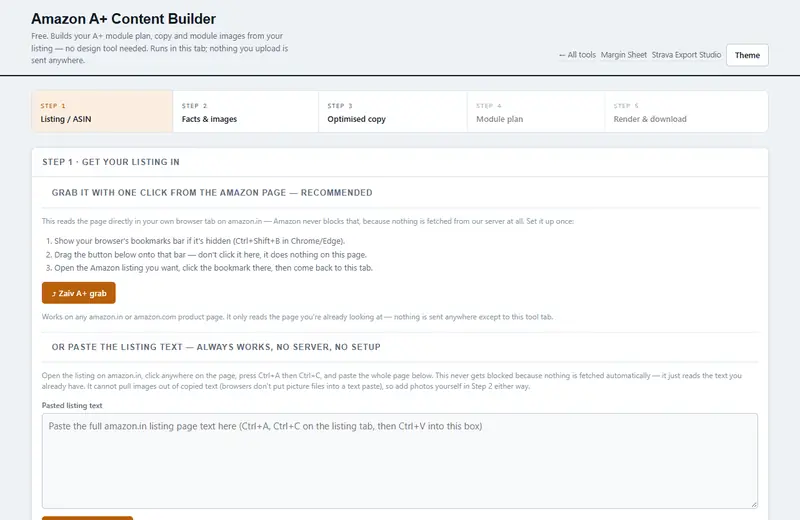
    Type an ASIN and we try to read the live listing, or type the title, bullets, description and brand in yourself. Either way you get the standard Basic A+ module plan — headline and body written only from what you entered, exact-pixel module images rendered on the spot, and a policy checker that flags health claims, pricing text, contact details, competitor names and guarantee language before Amazon does.

    The mistake it exists to catch: an A+ project that comes back rejected a week later for a line nobody thought to check — see the module plan and the checker before you ever open Seller Central.

    Free. Your images never leave this tab — only an ASIN, if you use the lookup, is sent to us.

  • Sellers on Amazon.in, Flipkart or Meesho who want the real number per order

    Margin Sheet

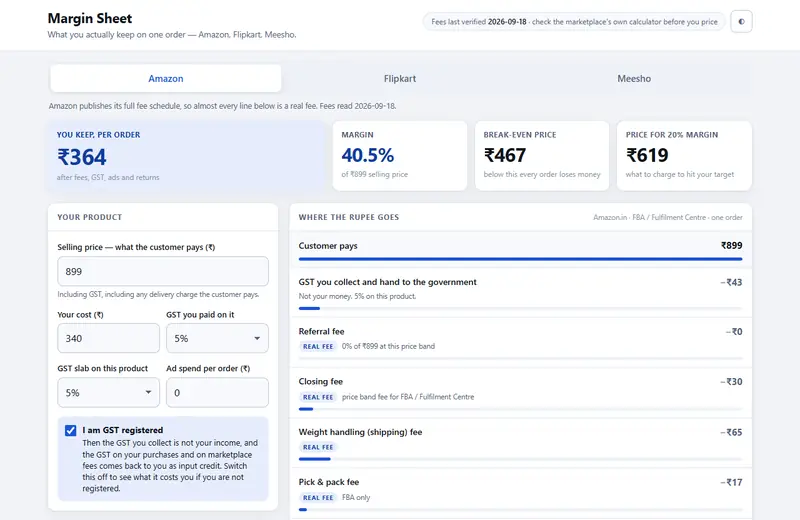
    Pick the marketplace, enter one product, and read the waterfall from selling price down to what you keep per unit, with margin, break-even price and the price that gets you the margin you want. Amazon's published fee schedule is built in and dated: referral fee by category and price band, closing fee by price band and fulfilment, weight-handling slabs by STEP level and region, Heavy & Bulky, pick and pack, and the 18% GST Amazon adds to its own fees. Flipkart and Meesho do not publish their rate cards, so only their published rules are enforced (Flipkart's 0% commission below Rs 1,000 and on Fashion; Meesho's 0% commission and no RTO return-shipping fee) and the rest is typed in from your seller panel.

    Every line in the output is tagged Real fee, Yours or Assumption, so you always know which numbers are Amazon's and which are yours. The sources and the dates they were read are listed on the page, and the whole fee table is published beside it as a JSON file you can check or reuse.

    Free. Runs offline once opened. Nothing is uploaded.

  • Runners and cyclists whose analytics apps broke when Strava's API went paid

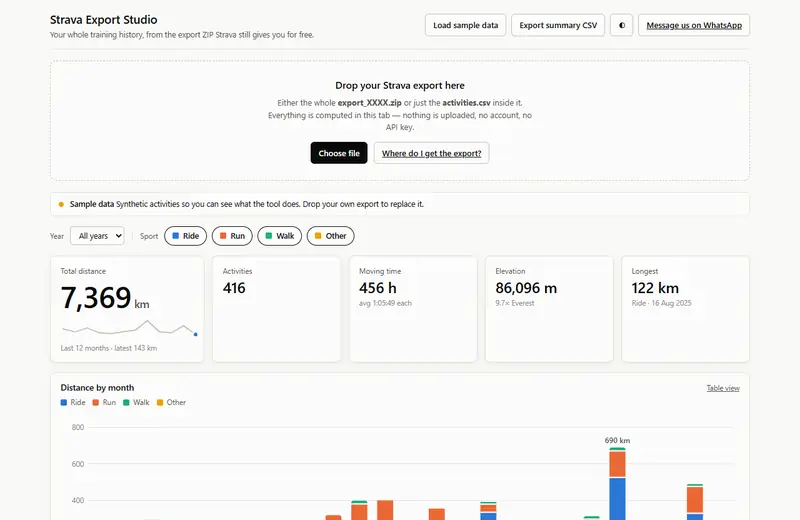
    Strava Export Studio

    Drop the export ZIP Strava emails you, or just its activities.csv, and read your whole history: distance by month and sport, moving hours, which days you train, shoe and bike mileage with wear alerts, fastest activities by distance, streaks and records.

    Built on the one thing Strava did not paywall — the bulk export. No API key, no account, no upload.

    Free. Opens with sample data so you can see what it does before you trust it with yours.

Have one built

A fixed quote, a fixed date, and the file is yours.

Three shapes cover most of what people ask for. There is no hourly meter and nothing added at the end — the price on the quote is the price.

  • A single-purpose tool

    3 working days

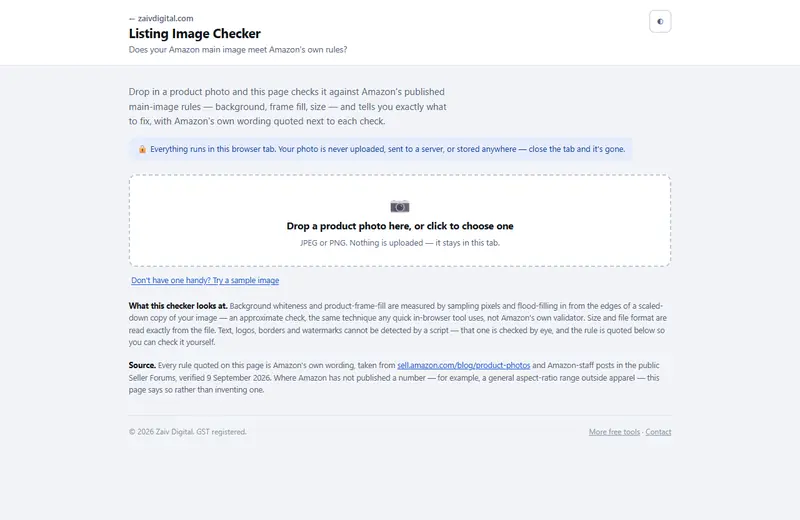
    A calculator, converter, checker or report — one job, done exactly. One HTML file that runs in the browser, works offline, and belongs to you. Like the two above.

  • An internal tool with data

    10 working days

    Tables, filters, saved views, charts, CSV and PDF export, a small database if the job needs one. The thing your team runs in a spreadsheet today, built so it stops breaking.

  • Something with more moving parts

    quoted

    Integrations, logins, automation on a schedule, a public-facing app. Scoped in writing first; the price on the quote is the price.

Half the quoted price starts the work; the rest is due on delivery. Overseas clients pay in their own currency on the quote's payment page — international cards, bank transfer or PayPal.

How it runs

Four steps, none of them a meeting.

  1. 01Send the brief

    Three sentences is enough: who uses it, what goes in, what should come out. WhatsApp or email, whichever you already have open.

  2. 02A fixed quote within one working day

    The quote names the deliverable, the price and the delivery date, in writing. If the job is not a fit I say so in that reply rather than take the work.

  3. 03Half in advance, the build starts

    Pay the advance on the link in the quote. You get a short update every working day, and a working version to click on before it is finished.

  4. 04Delivery, then thirty days of fixes

    The source file is yours — no subscription, no login, no lock-in. Anything that turns out wrong in the first thirty days is fixed at no charge.

Who this is for

Saying who it is not for saves us both a week.

A fit

  • A job you can describe in a few sentences, with an example of the input
  • A tool your own team will use, or a small product you will sell
  • Someone on your side who can answer a question the same day

Not a fit

  • A guarantee of a business result — I build the tool, your market decides the rest
  • Work that needs your passwords or payment credentials to run
  • An hourly arrangement with no defined deliverable

There are no client logos on this page and no testimonials. The three tools at the top are the evidence; a thing you can run is worth more than a quote about it. When there is a client who agrees to be named, they will be named here — not before.

Start with the brief.

Three sentences and an example of the input. The quote comes back within one working day, and if it is not right for you, the reply says so.

Get a fixed quoteWhatsApp
WhatsApp us